


AR Drawing Paint Sketch Trace
4.8167.00 Reviews
App Specs
- Version
- 1.4.18
- Updated On
- License
- Free
- Downloads
- 5,000,000+
- Developer
- ideaFun - Pixel Art Coloring Games Color by Number
- Categories
- Art & Design
- Platform
- Android, iOS
Screenshots
 Analysis by AppCompare
I like drawing apps that help me get past the blank-page problem, and AR Drawing Paint Sketch Trace has a useful angle: it lets you work from an image while looking at a real surface through your phone. That makes it less like a conventional digital sketchbook and more like a tracing aid for practicing shapes by hand. I’d consider it for casual drawing, especially when I want a visible guide in front of me rather than a blank canvas on a screen.
Where the first attempt can feel awkward
The idea is simple, but the first few minutes can still involve some adjustment. You need to choose an image, frame the surface you want to draw on, and find a comfortable way to hold or position the phone while keeping the guide visible. That physical setup is part of the experience, not a sign that you are using the app incorrectly. If the picture seems hard to trace, I’d first make the drawing area easier to see and keep the phone steady before changing the image.
This kind of AR drawing is also different from drawing directly on a touchscreen. The app can give you a visual reference, but your hand still has to make the marks on the paper or other surface. I find that distinction helpful to understand before starting: the phone guides the drawing process; it does not remove the need to control a pencil, pen, or other drawing tool yourself. Beginners may need a couple of tries to coordinate looking at the display and drawing on the surface.
Simple setup checks that make tracing easier
Before choosing a complicated illustration, I’d begin with a clear, uncomplicated image and a surface that is easy to work on. A basic outline is easier to follow than a picture with lots of tiny details, particularly when you are still getting used to the AR view. This is a practical way to test whether the image is positioned comfortably and whether the guide is easy to follow, without turning the first session into a frustrating drawing test.
Lighting and posture matter in a very ordinary way. If you are struggling to see either the screen or your own marks, try moving to a brighter spot or changing how you hold the phone. A stable place to rest your drawing hand can also make tracing less tiring. These adjustments do not change what the app does, but they can make the physical part of using an AR drawing tool feel much more manageable.
Getting back on track during a drawing
When a tracing session starts to drift, I would pause instead of trying to correct several uneven lines at once. Check whether the phone has moved, whether the image is still framed the way you intended, and whether your drawing surface is in a comfortable position. Then resume with a simple part of the outline. This small reset is often more useful than pushing through while the guide and your hand no longer feel aligned.
It also helps to treat the first pass as a practice sketch rather than a finished piece. You can focus on broad shapes, then add detail only after the basic proportions look right. If a source image proves too busy, switch to a simpler one instead of assuming that every image will be equally easy to trace. The app is most useful as a way to make drawing practice approachable; it cannot make a complex reference effortless.
Worth Reading Before You Choose

Flipboard Shows What News Apps Must Do Beyond the Feed

Switching to Android Auto Means Rethinking Your Driving Routine

Google Calendar Makes a Crowded Week Easier to Manage

Ludo King Makes the Most of the Minutes Between Plans

Baby Panda World Brings Quick Play to Modern Phones, but Its Game Library Feels Busy

ESPN’s Live Game View Makes Following Close Games Easier
Getting Started with AR Drawing
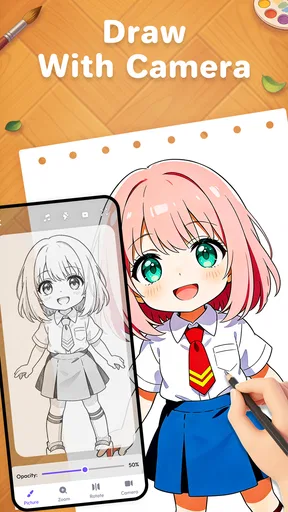
So, when you first fire up AR Drawing Paint Sketch Trace, you’re greeted with a user-friendly interface that’s as inviting as it is intuitive. You don’t need to be a tech genius to navigate through it, which is a huge plus in my book. You can dive right into the action by selecting an image from your gallery or snapping a new one. The app then uses augmented reality to project that image onto a surface of your choice. It’s like having a virtual projector in your pocket!
Features That Stand Out
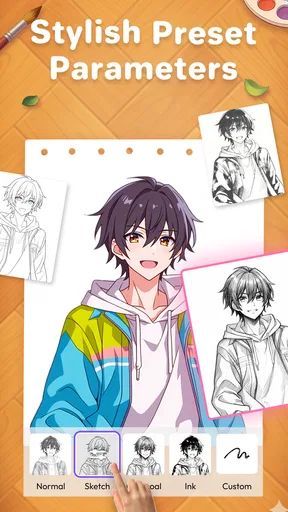
1. Variety of Tools: What’s art without the right tools? This app offers a plethora of brushes and colors to choose from. Whether you’re going for a bold and bright look or a more subtle pastel vibe, there’s something here for every artistic flair.
2. Layering System: One of the things I found particularly handy is the ability to work in layers. It’s a feature that’s usually reserved for more advanced software, but here it’s accessible right on your smartphone.
3. Easy-to-Use Interface: The app’s layout is clean and clutter-free, making it easy to focus on your creation without getting lost in a sea of options. Plus, the controls are intuitive, so you’re not spending ages trying to figure out what does what.
Drawing in the AR World
The magic really happens when you start tracing. With the AR function, you can transform any flat surface into your personal sketchpad. Imagine sketching on your living room wall or even on your desk. The precision is pretty impressive, and the app does a great job of keeping everything in alignment, so you’re not left with a distorted masterpiece.
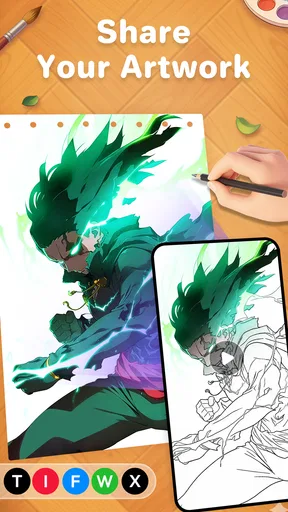
And the best part? You can save your work and share it directly from the app. Whether you want to boast about your latest creation on social media or just keep it for your personal collection, it’s just a tap away.
Ideal for All Artists
Whether you’re a seasoned artist or just someone who enjoys a good doodle, AR Drawing Paint Sketch Trace offers something for everyone. It’s perfect for practicing your drawing skills or even experimenting with new styles. The app doesn’t limit you, and that’s what makes it so enjoyable. You’re free to explore and express yourself in ways that were perhaps not possible before.
Who benefits most, and who may prefer another tool
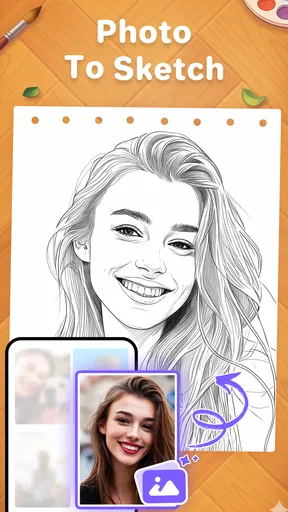
I think this app is best suited to someone who wants help transferring an image into a hand-drawn outline, or who enjoys the novelty of tracing in a real-world setting. It can be a friendly starting point for a child or an adult who feels unsure about proportions, and it can also give a more experienced artist a quick way to study a reference. The Everyone content rating makes it broadly accessible, though younger users may still benefit from an adult helping with device setup and choosing a suitable image.
It is less compelling if your main goal is to paint digitally with a stylus, build a polished illustration from scratch, or make precise edits to a finished image. A conventional drawing program is usually better for detailed brush control and screen-based composition, while a printed reference may be simpler if you only need a static guide. The distinctive trade-off here is that AR makes the reference feel present on your working surface, but you still need to manage the phone and the physical drawing at the same time.
A practical way to use it in an ordinary day
For example, if I had a quiet half-hour after work and wanted to draw a character from a photo, I’d choose a clear pose, set up paper on a stable desk, and use the guide to get the larger outline down first. I would leave small features until the body shape felt right, then decide whether to continue by hand or use the app’s drawing tools for a separate digital experiment. That sequence keeps the AR reference useful without expecting it to do the artistic decisions for me.
For learning, I’d repeat the same subject once without tracing after the first attempt. Comparing the two drawings can reveal which shapes were difficult and where I relied too heavily on the guide. That is a more valuable use than treating each traced result as a finished achievement: the app can support practice, but improvement comes from noticing proportions and making choices yourself.
Cost, access, and what to expect
The app is free to install, with optional in-app purchases ranging from $0.99 to $99.99 per item. I’d explore the basic experience before spending anything and check the purchase details on the item itself, especially if a child will be using the device. The developer is ideaFun - Pixel Art Coloring Games Color by Number, and the app sits in the art and design category rather than being a full professional illustration suite.
It has a 4.8 average from around 58,000 ratings, with more than a million installs. Those figures suggest it has found a sizable audience, but popularity cannot tell you whether the tracing workflow suits your hands, phone, or drawing habits. It was released on August 20, 2024, and version 1.4.15 requires Android 5.0 or later. If you are deciding whether it will work on your device, checking your Android version is a straightforward first step.
When the app may not be the cause
If the result looks misaligned or the session feels uncomfortable, I would not immediately assume the app itself is at fault. A phone that shifts while you draw, a reference with too much detail, a poorly chosen surface, or a cramped posture can all make tracing harder. Try a simpler image and a steadier setup before judging the experience. If the difficulty remains, switching to a different drawing method may be more sensible than repeatedly forcing the same arrangement.
Likewise, expectations matter. AR can make it easier to follow a visual guide, but it does not guarantee perfect proportions or turn a quick sketch into a finished illustration. I see the feature as a bridge between looking at a reference and drawing it, not a replacement for practice or a promise of automatic results. That makes the app more rewarding for people who enjoy the process than for anyone seeking a one-tap finished picture.
Final Thoughts
In a world where technology and creativity often collide, AR Drawing Paint Sketch Trace stands out as a fantastic example of how innovation can enhance artistic expression. It’s easy to see why this app is gaining popularity among creatives. The blend of simplicity and functionality makes it a must-try for anyone looking to bring their artistic visions into augmented reality.
If you’re keen to explore this fun and innovative way of creating art, I’d definitely recommend giving this app a spin. It’s more than just an app; it’s a whole new way to experience art. Download it and see where your imagination takes you!
My recommendation comes with one qualification: start with an easy image, a comfortable surface, and modest expectations for the first sketch. If that combination makes drawing feel more approachable, the AR approach is doing its job. If you would rather work entirely on-screen or need advanced control over a finished digital piece, a standard drawing app will likely fit better. For casual practice and the pleasure of tracing a reference in place, though, I can see why this one is appealing.
Pros
- Easy to use interface enhances user experience.
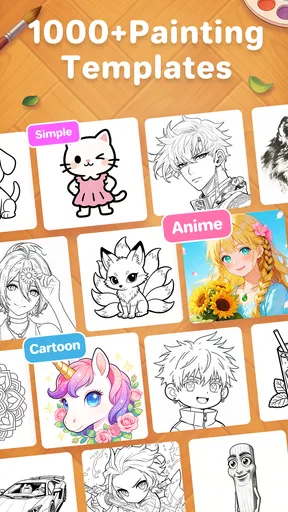
- Wide range of templates for all skill levels.
- Augmented reality features boost creativity.
- Regular updates with new tools and options.
- Offline mode available for on-the-go use.
Cons
- Requires high-performance devices for smooth operation.
- Limited free features; subscription needed for full access.
- Occasional AR tracking issues in low light.
- Ads can interrupt the creative process.
- Initial setup might be confusing for beginners.
FAQs for AR Drawing Paint Sketch Trace
What devices are compatible with AR Drawing Paint Sketch Trace?
AR Drawing Paint Sketch Trace is compatible with most Android and iOS devices that support augmented reality features. Generally, this includes smartphones and tablets with ARCore (Android) or ARKit (iOS) capabilities. It’s advisable to check the app's store page for specific device compatibility to ensure optimal performance.
How does AR Drawing Paint Sketch Trace work?
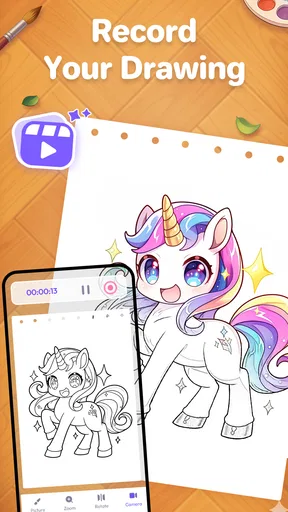
The app uses your device’s camera to project images onto your surroundings, allowing you to trace and draw over them. By leveraging augmented reality technology, it provides a virtual canvas on real-world surfaces, making it easier to practice drawing or create art by overlaying sketches directly onto the environment.
Is AR Drawing Paint Sketch Trace suitable for beginners?
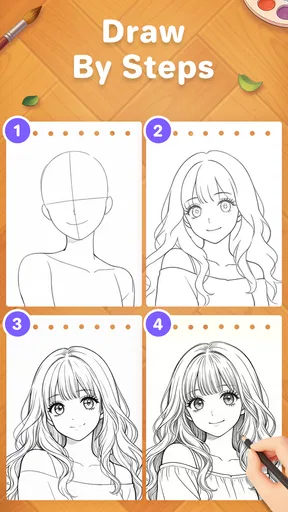
Yes, AR Drawing Paint Sketch Trace is designed for users of all skill levels, including beginners. The app offers a variety of templates and step-by-step guides that make it easy for newcomers to start drawing and improve their skills. Advanced users can also take advantage of the customizable features to create more complex artworks.
Are there in-app purchases in AR Drawing Paint Sketch Trace?
While the app is free to download, it may offer in-app purchases for additional templates, advanced tools, and premium features. These purchases enhance the drawing experience by providing more options and tools, but they are not necessary for basic use. Users can enjoy a wide range of free content before deciding to make any purchases.
Can I save and share my creations with AR Drawing Paint Sketch Trace?
Yes, the app allows you to save your completed artworks directly to your device. Additionally, it provides options to share your creations on social media platforms or via messaging apps. This feature is perfect for showcasing your progress and sharing your art with friends and the online community.


